Administrator View
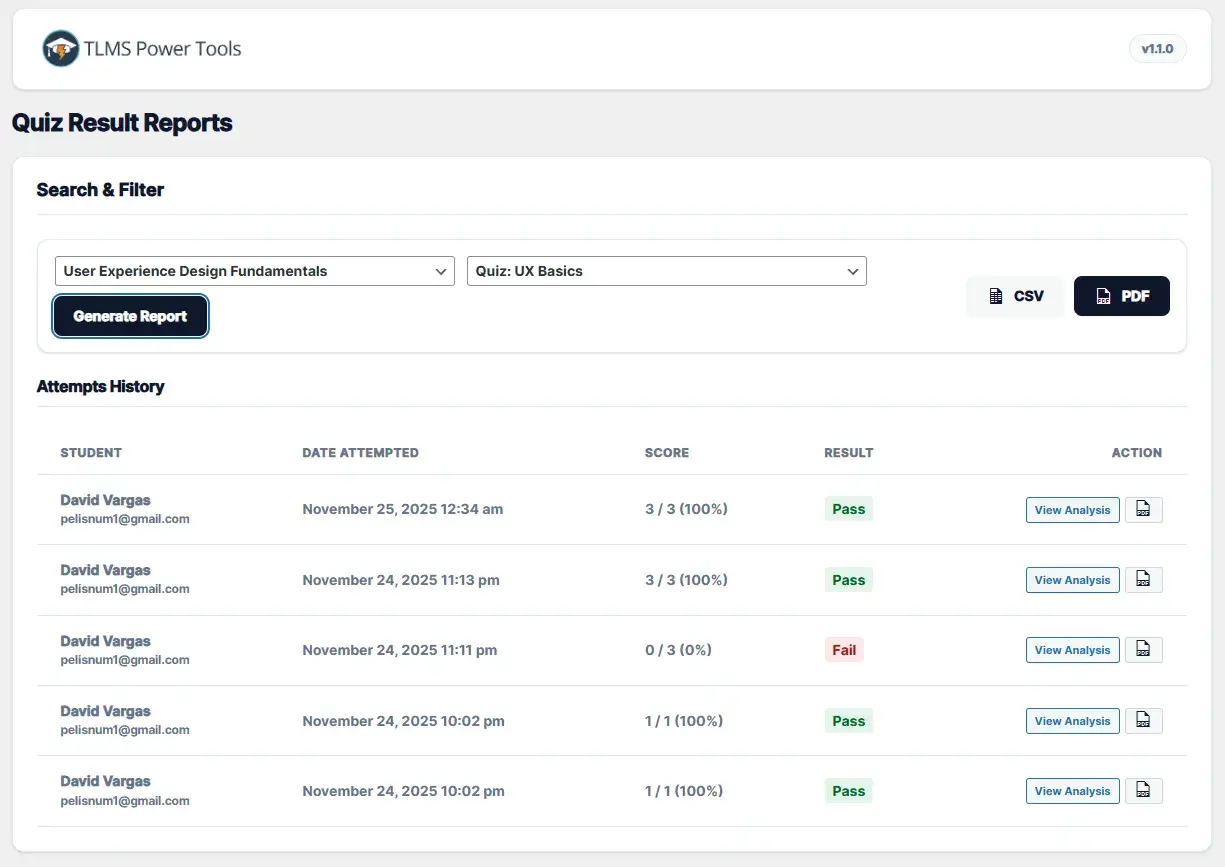
1.- Go to TLMS Power Tools > Quiz Reports.
2.- Select a Course.
3.- Select a specific Quiz within that course.
4.- Click Generate Report.
Actions:
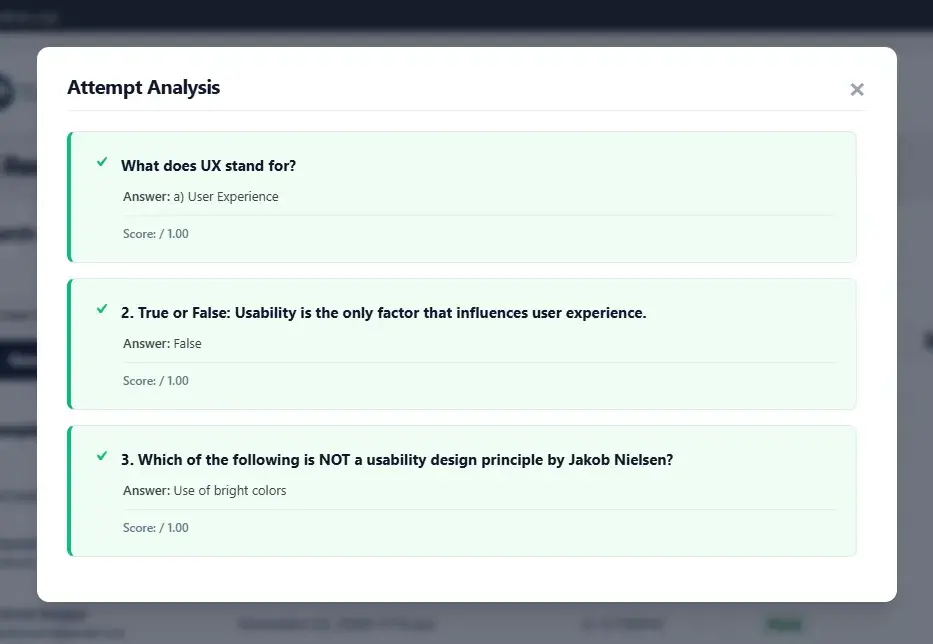
1.- View Analysis: Opens a window with the details for each question, showing the student’s answer and the correct answer.
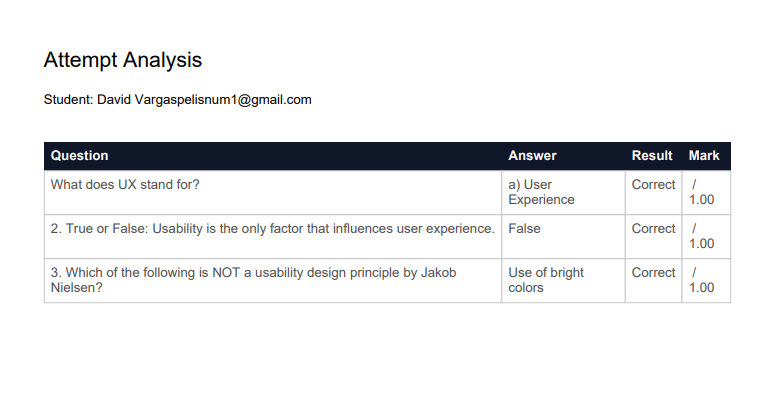
2.- PDF: Download the individual results for that attempt.
Student View
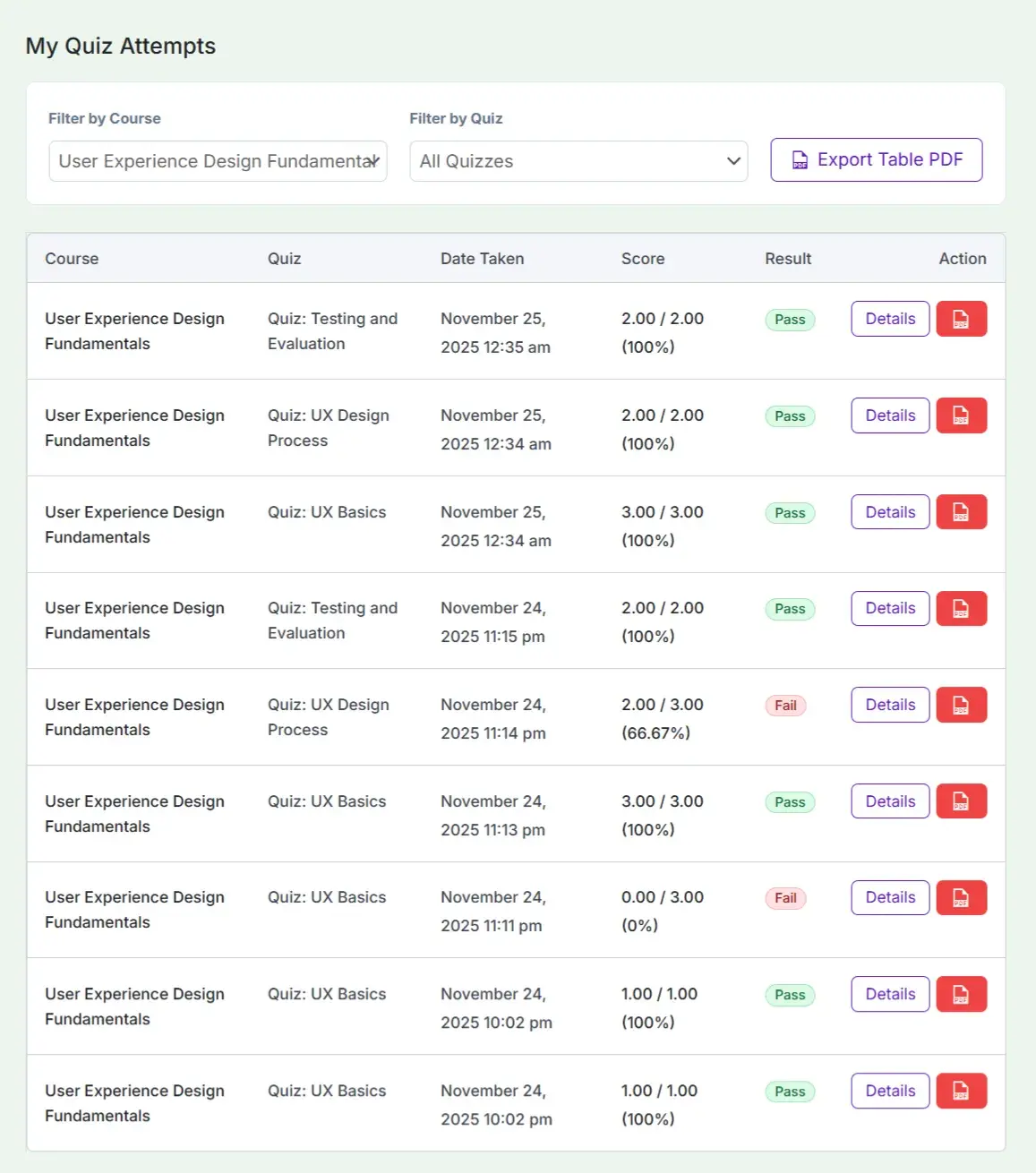
Your students now have a “My Quiz Attempts” menu in their Dashboard.
They can filter their attempts by course.
View details of their answers (Correct/Incorrect).
Download a PDF receipt of their results.