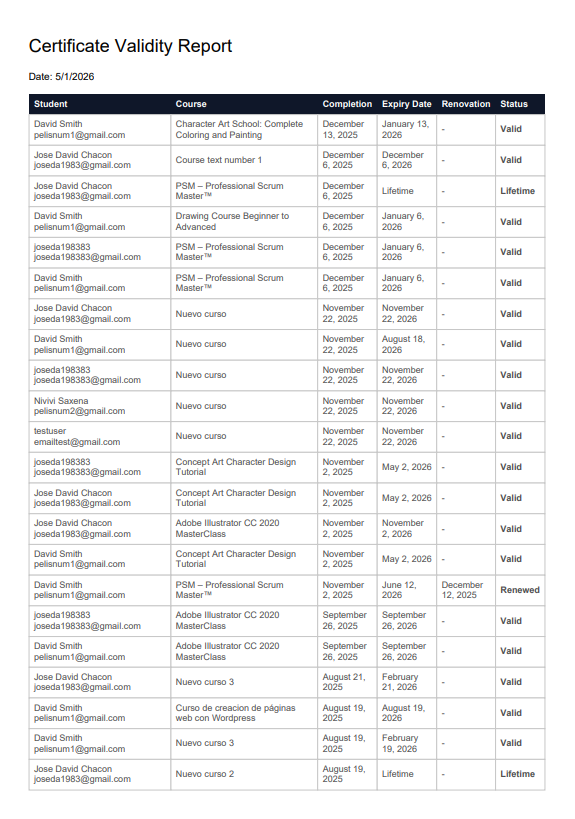
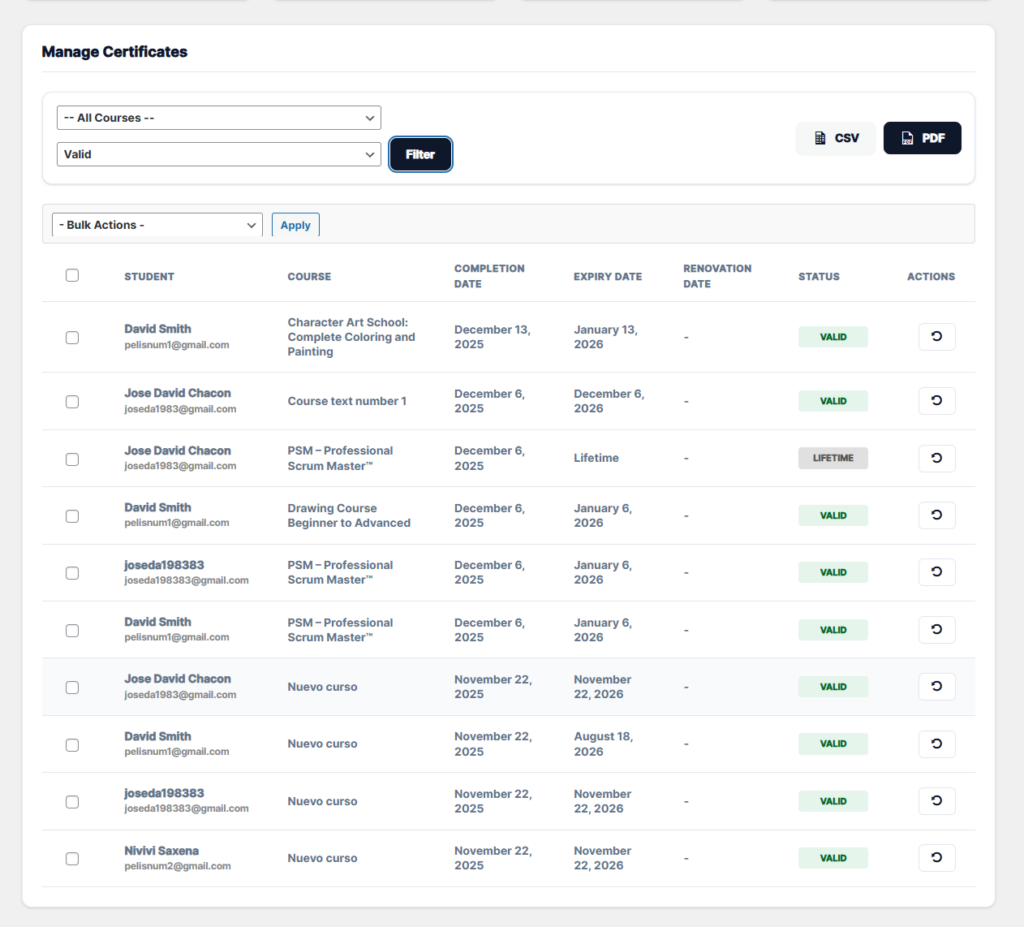
This feature allows administrators to download a detailed report on the validity status of student certificates. Unlike the on-screen view (which is paginated), the export buttons generate a comprehensive report that includes all records matching the selected filters, regardless of whether there are hundreds or thousands of students.
Available Formats:
CSV (Excel): Generates a structured .csv file, ideal for opening in Microsoft Excel or Google Sheets. It separates the name and email address into different columns to facilitate filtering and analysis of external data.
PDF (Printable): Generates a professionally designed .pdf document, ready for printing or digital archiving. It presents the information in a clear and legible table.
Data Included in the Report: Both formats include the following critical information for audits:
Student: Full name.
Email: User’s email address.
Course: Name of the course associated with the certificate.
Dates: Completion Date, Expiration Date, and Renewal Date (if applicable).
Status: A dynamically calculated column indicating whether the certificate is Valid, Expired, Renewed, or Lifetime.