
Unlike the basic TutorLMS history, this section offers a granular and detailed (“Deep Dive”) analysis of each quiz attempt, ideal for students who need to understand where they went wrong.
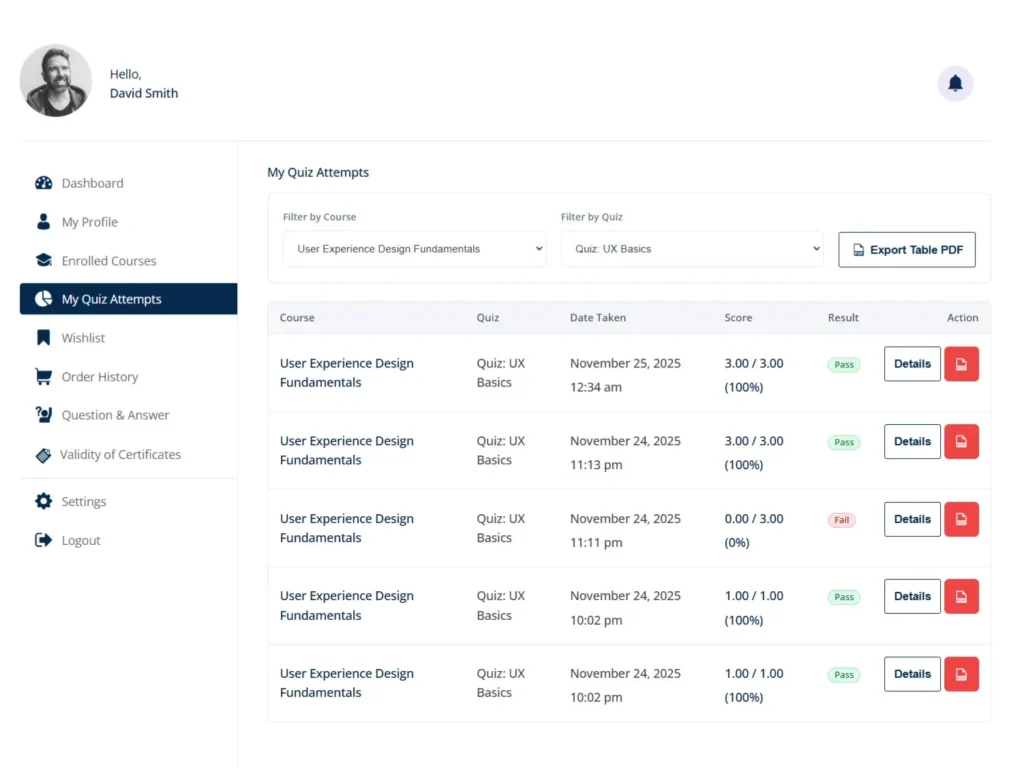
Filtering Tools: Students can filter the table by:
Course: To see only quizzes for a specific subject.
Quiz: To see the attempt history for a specific quiz.
Results Table: Displays the Course, Quiz, Date, Score (Numerical and Percentage), and Result (Pass/Fail).
Advanced Functionality:
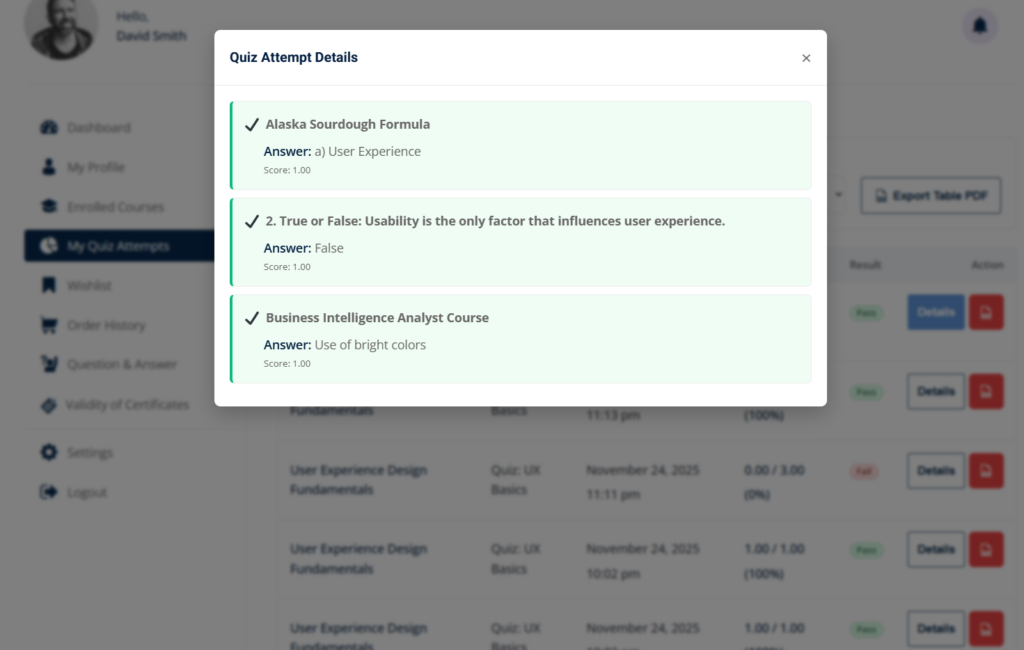
“Details” Button (Question-by-Question Analysis):
Clicking this button opens a pop-up window (modal) without reloading the page.
It displays each quiz question, the student’s answer, and whether it was correct (✔) or incorrect (✘).
Educational Value: Allows students to review their exact mistakes to better study before their next attempt.
“PDF” Button (Results Download):
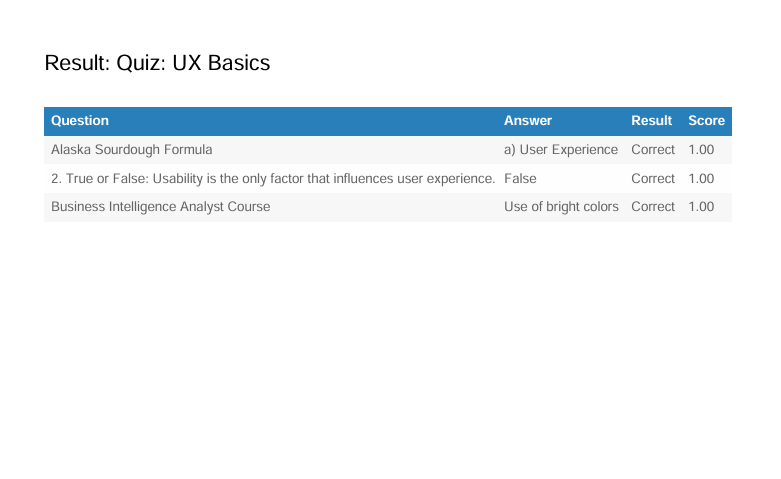
Instantly generates a PDF document with the report of that specific attempt.
Useful for students who need to provide physical proof of passing midterm exams to third parties or employers.
General Export:
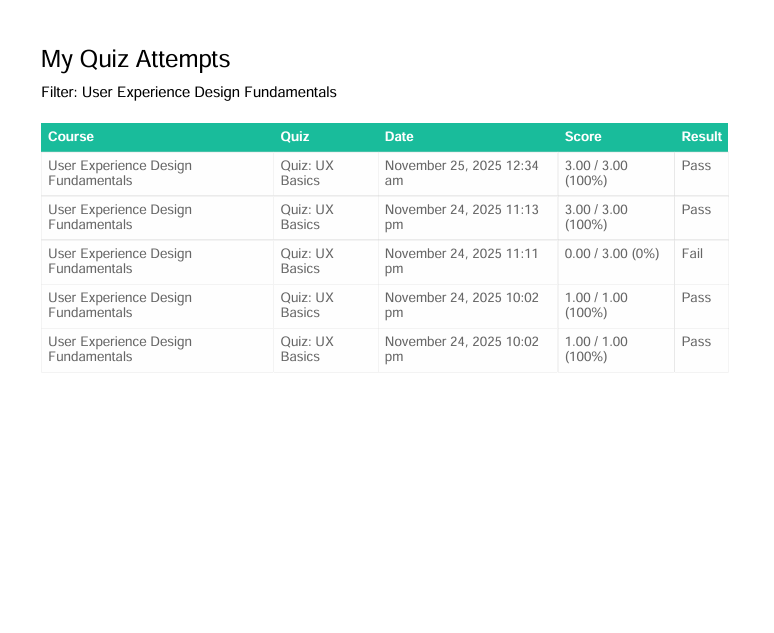
An “Export Table PDF” button in the header allows you to download the complete history of attempts filtered on the screen.


